
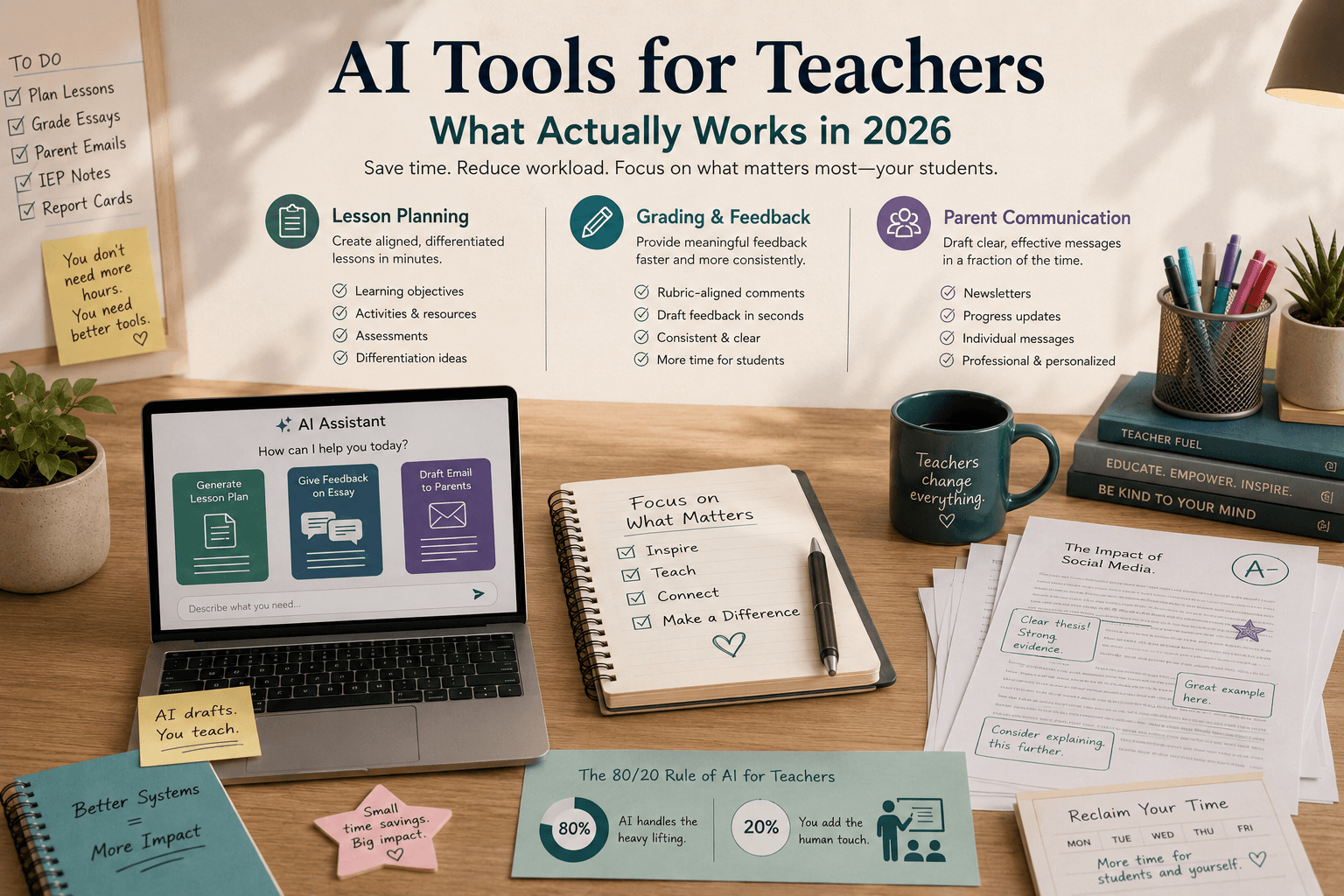
The average teacher in the United States works 54 hours per week. About 11 of those hours are spent on administrative tasks that have nothing to do with instruction: lesson planning, grading, parent communication, report cards, IEP documentation. AI tools marketed to teachers promise to recover those hours.
Some of them deliver. Most of them don't — not because the AI is bad, but because they're built for general writing tasks and retrofitted for classroom use.
This is what we've found actually works.
The three problems worth solving with AI
Not every teacher's pain point is the same, but the tasks that consume the most time at scale — across grade levels, subjects, and school types — are consistent.
Lesson planning. A complete lesson plan for a 50-minute class — learning objectives, differentiated activities, assessment, materials list — takes 45 minutes to 2 hours to produce from scratch. Multiply that across five classes per day, five days per week, and lesson planning becomes a significant fraction of a teacher's non-instructional workload. AI tools that generate a structured first draft from a topic, grade level, and standard reduce that to 10–15 minutes of review and customization.
Grading and written feedback. For classes with significant writing components, grading is where teacher time disappears fastest. An English teacher with 120 students assigning one essay per month spends 3–4 hours grading per assignment cycle at 2 minutes per paper — more if feedback needs to be individualized. AI tools that generate draft feedback against a rubric reduce grading time while improving feedback consistency across students.
Parent communication. Weekly newsletters, progress updates, and individual parent messages require time that accumulates invisibly. A 10-minute parent message drafted from scratch five times a week is nearly an hour of writing that doesn't directly serve students. AI drafting tools reduce that to 2 minutes of review per message.
These three tasks share a useful property: they produce written output at scale, the quality standard is high but not clinically or legally sensitive in the way medical notes are, and the right AI tools can draft 80% of the final product from a brief input.
What actually works by category
Lesson planning
General-purpose AI (ChatGPT, Claude, Gemini) can generate lesson plans, and many teachers use them for exactly this. The output is usable but generic — it doesn't know your curriculum standards, your class's reading level, your school's pacing guide, or the differentiation needs of specific students.
The purpose-built tools add curriculum awareness. Tools designed specifically for K-12 educators allow you to input the specific Common Core or state standard you're addressing, the grade band, and any differentiation requirements, and generate a plan aligned to those inputs. The lesson plan still requires teacher review and adjustment — the AI doesn't know your students or your instructional style — but the structural scaffolding and alignment checking saves significant time.
The test worth running: Take a standard you're teaching next week. Generate a lesson plan with a general-purpose AI and with the best purpose-built tool available. Compare the gap between "usable draft" and "actually useful draft." That gap is the value of the purpose-built tool.
Grading and feedback
AI grading tools work best for written assignments where the rubric is clear — essays, research papers, open-response questions. They work poorly for creative work where the criteria are subjective and context-dependent, and they shouldn't be used unsupervised for high-stakes assessments.
The practical application: AI generates a draft of written feedback against your rubric. You review the draft for each student, correct anything that's wrong or generic, and submit. The AI handles the structure and completeness; the teacher handles the accuracy and nuance.
The ethical boundary that matters: AI-generated feedback should be reviewed and personalized before it reaches students. A student who receives generic AI feedback that doesn't match their specific work is getting worse feedback than they'd receive without AI — the appearance of feedback without the substance. The tools worth using make this review step central to the workflow, not optional.
Parent communication
This is the category where general-purpose AI performs best relative to specialized tools. A well-prompted general AI can draft parent-ready newsletters, progress updates, and individual messages faster than any specialized tool. The input you need: a few bullet points about the week's activities, the student's name and a few observations, or the content you want to cover.
The time savings are real and immediate. Teachers who draft parent communications with AI assistance report saving 3–5 hours per week on written correspondence alone. The output requires light review — AI occasionally produces tone that's too formal or phrasing that doesn't match your voice — but the edit time is a fraction of drafting time.
What doesn't work as advertised
AI assessment generators for high-stakes tests. Tools that generate quiz and test questions produce plausible-looking content that is sometimes factually wrong, occasionally ambiguous, and not calibrated to your students' actual instructional level. Teacher review of AI-generated assessments is not optional — it is the entire point. Use these as a starting draft, not a final product.
AI tools that claim to reduce grading to zero. Automated grading for written work without human review creates two problems: it misses the contextual judgment that distinguishes a student who understood the concept and expressed it poorly from one who didn't understand it at all; and it creates liability when grades are assigned without teacher review. AI speeds up grading. It doesn't replace teacher judgment on student work.
Classroom monitoring AI. Tools that claim to monitor student engagement, detect off-task behavior, or flag emotional states using computer vision or behavioral analysis are in a different ethical category from the documentation tools above. They require informed consent frameworks that most schools are not equipped to navigate, create surveillance environments that affect student behavior, and use models that have documented disparate error rates across student demographics. These tools are worth significant caution.
The honest summary
AI tools for teachers are most valuable in the 11 hours per week that have nothing to do with instruction — the planning, grading, and communicating that happen before school, after school, and on weekends. That is a meaningful amount of time to recover, and the tools that do it well are genuinely useful.
They are least valuable — and sometimes counterproductive — when applied to the moments that require the contextual, relational judgment that only a teacher who knows their students can provide. AI can draft a parent message; it can't know that this particular parent prefers direct language, or that this student's struggles at school are connected to something happening at home.
The right framing for AI tools in teaching: they're excellent at the administrative overhead that crowds out instructional thinking. That is worth recovering. It is also worth knowing what you're getting.
For a full comparison of AI tools specifically built for K-12 educators, see our best AI tools for teachers guide. For a broader look at how AI is changing professional workflows, read our analysis of AI tool review bias.